How to Take a Perfect ID Photo Using Your Smartphone
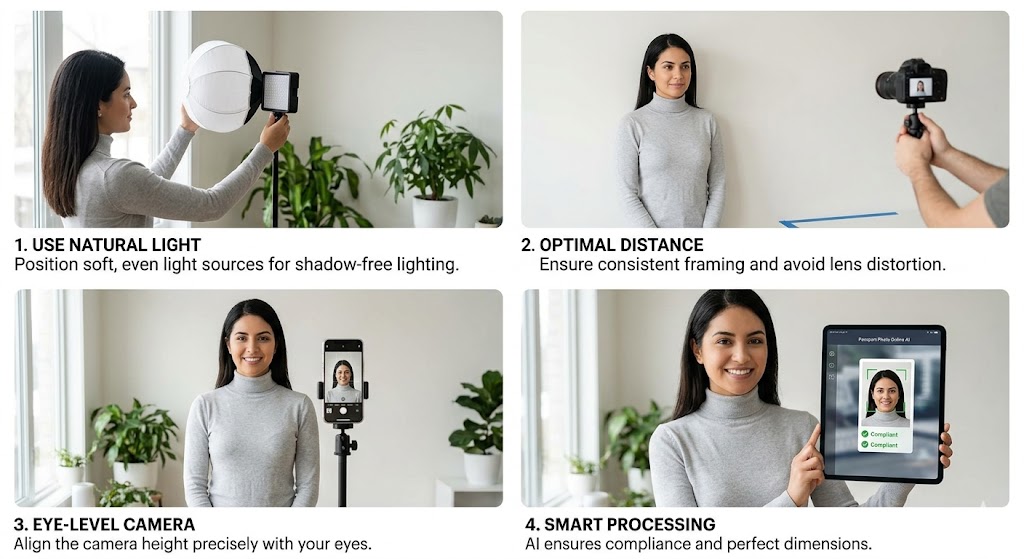
Getting a professional-grade passport or ID photo doesn't require a studio. With the camera in your pocket and a few simple tricks, you can snap a photo that’s ready for idphotogo to transform into a government-compliant document.
Follow these five steps to ensure your photo is accepted every time.
1. The "No-Selfie" Rule
While it’s tempting to use your front-facing camera, don't take a selfie.
- Why: Front cameras often use wide-angle lenses that can distort facial features (making noses look larger or ears disappear).
- The Fix: Use the back camera. Ask a friend to take the photo or use a tripod. Stand about **40cm - 60cm ** away from the lens to keep your facial proportions natural.
2. Master the Lighting
Lighting is the #1 reason photos are rejected. You want "flat" lighting that eliminates shadows.
- Best Source: Natural daylight. Stand facing a window during the day.
- Avoid: Direct sunlight (causes squinting and harsh shadows) or overhead ceiling lights (creates "raccoon eyes" shadows under the brows).
- Pro Tip: If one side of your face is darker than the other, have someone hold a white piece of paper on the dark side to bounce light back onto your face.
3. Find a Simple Background
You don't need a professional backdrop, but you do need a relatively clear space.
- The Setup: Stand in front of a plain, light-colored wall (white, off-white, or light grey), making it much easier for the idphotogo AI to remove the background cleanly.
4. Pose and Expression
Think "neutral" rather than "glamour."
- Eye Level: Ensure the camera lens is exactly at your eye level—not looking up or down at you.
- Expression: Keep your mouth closed and your eyes open. A "natural" look is better than a forced smile, as many countries strictly require a neutral expression for biometric scanning.
- Shoulders: Keep your shoulders square to the camera. Don't tilt your head.
5. Keep it Raw (No Filters!)
Our AI needs to see the real you to ensure biometric compliance.
- No Beauty Filters: Disable any "skin smoothing" or "face thinning" features on your phone.
- No Retouching: Avoid manually editing out moles or scars.
- Glasses: We recommend removing your glasses even if you wear them daily. This avoids the risk of glare or frames obscuring your eyes.
Ready to process?
Once you’ve snapped your photo, just upload it to idphotogo.com. We’ll handle the precise cropping, background removal, and size adjustments for whichever country you need!
Resources
Support
Secure Payments
Powered by PayPal |
© 2025 IDPhotoGo. All rights reserved